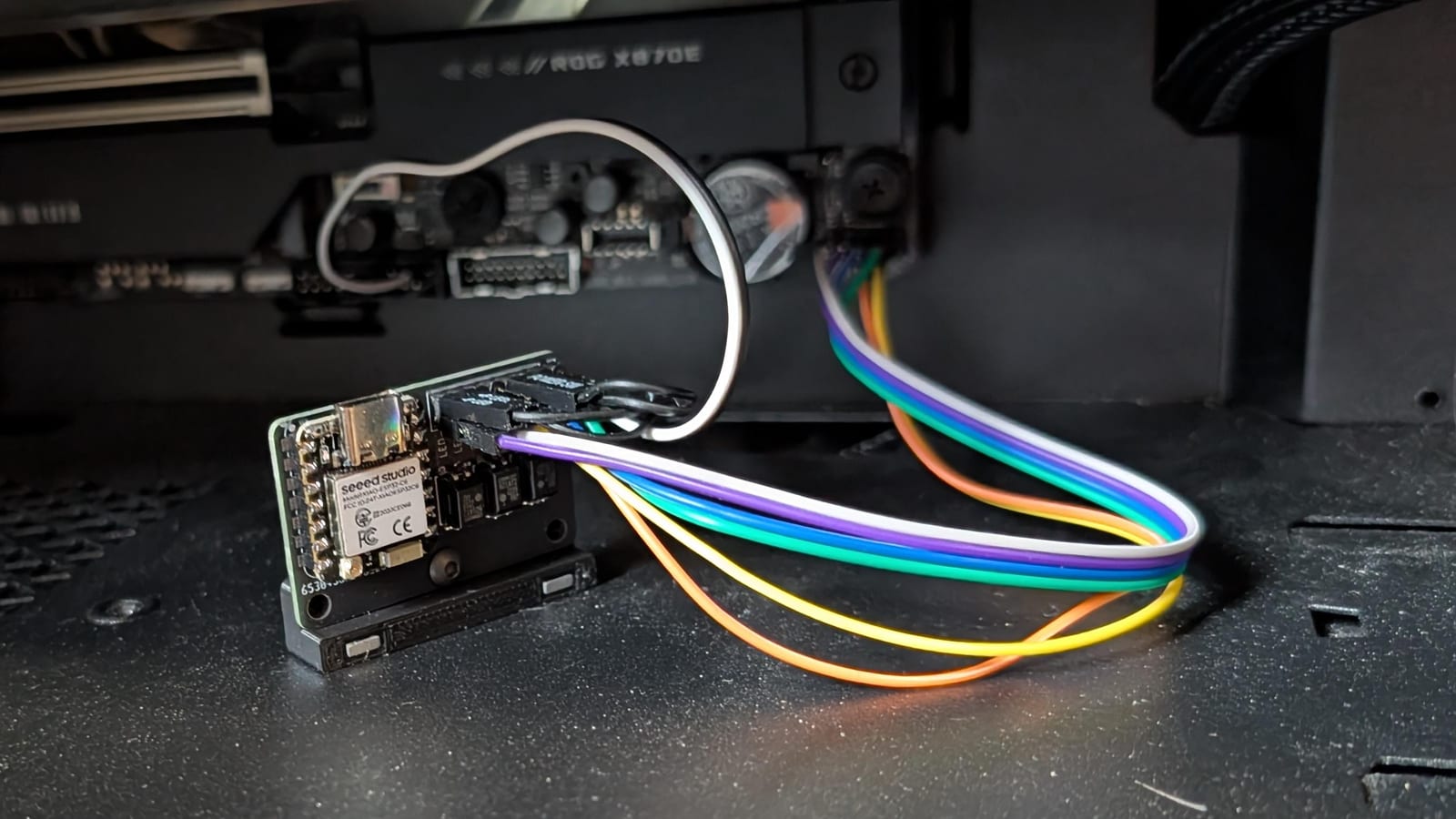
This board lets you turn a desktop PC on, shut it down or reset it from Home Assistant, the open-source home automation app. It needs no software on the PC and no Wake-on-LAN. The board plugs into the motherboard's front-panel header, the pins that the case buttons connect to, and "presses" those buttons electrically.
What Home Assistant gets
- Power Button: a short press (0.5 s). It turns the PC on, or asks the OS to shut down.
- Power Button - Long Press: a 5 s press that forces the PC off when it's frozen.
- Reset Button.
- Power: a sensor that shows whether the PC is actually running.
- Button (the board's own push button) and a Status LED that blinks on every press.
Hardware
A Seeed Studio XIAO ESP32-C6 (a tiny microcontroller board) sits on a small custom PCB. Omron G3VM solid-state relays switch the power and reset lines, so the board's circuit stays electrically separate from the motherboard. The repo has the KiCad project (the PCB design files), a STEP 3D model, and STL files for a printed holder with a magnetic base that sticks to the case.
Firmware
The firmware uses ESPHome, which builds firmware from a YAML config file. It talks to Home Assistant over Thread, a low-power wireless network for
smart home devices. Wi-Fi works too: uncomment it in config.yaml.
pip install esphome
# secrets.yaml: openthread_tlv (or wifi_ssid / wifi_password)
esphome run firmware/config.yaml